USB DMX Controller Pro rev. 4.0
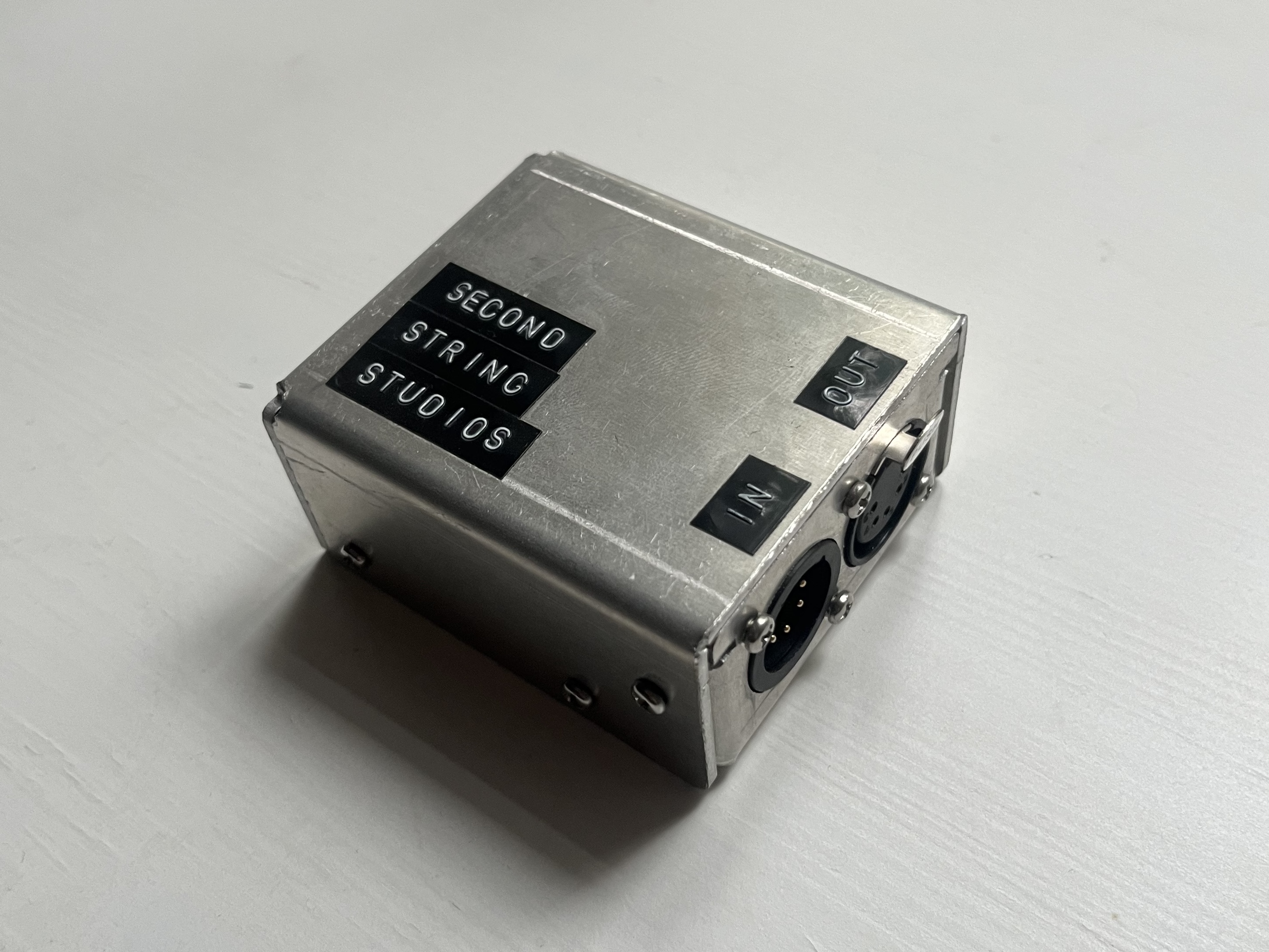
This revision of the USB DMX Controller Pro hardware and firmware adds new functionality while also improving on the existing product.
Hardware updates
The most obvious improvement is the addition of a second XLR5 connector to support DMX output or input. All of the existing functionality like sync vs. buffered data applies to the input direction as well as the output.
Both the input and output DMX ports also support full isolation from the control circuit referenced to USB ground. While not mandated by the DMX spec, this is important for longer DMX runs where the difference in ground potential at the device versus at the controlled fixtures can vary and cause signal integrity issues. The DC power jack was removed in favor of shared power and data through the USB-C connection.
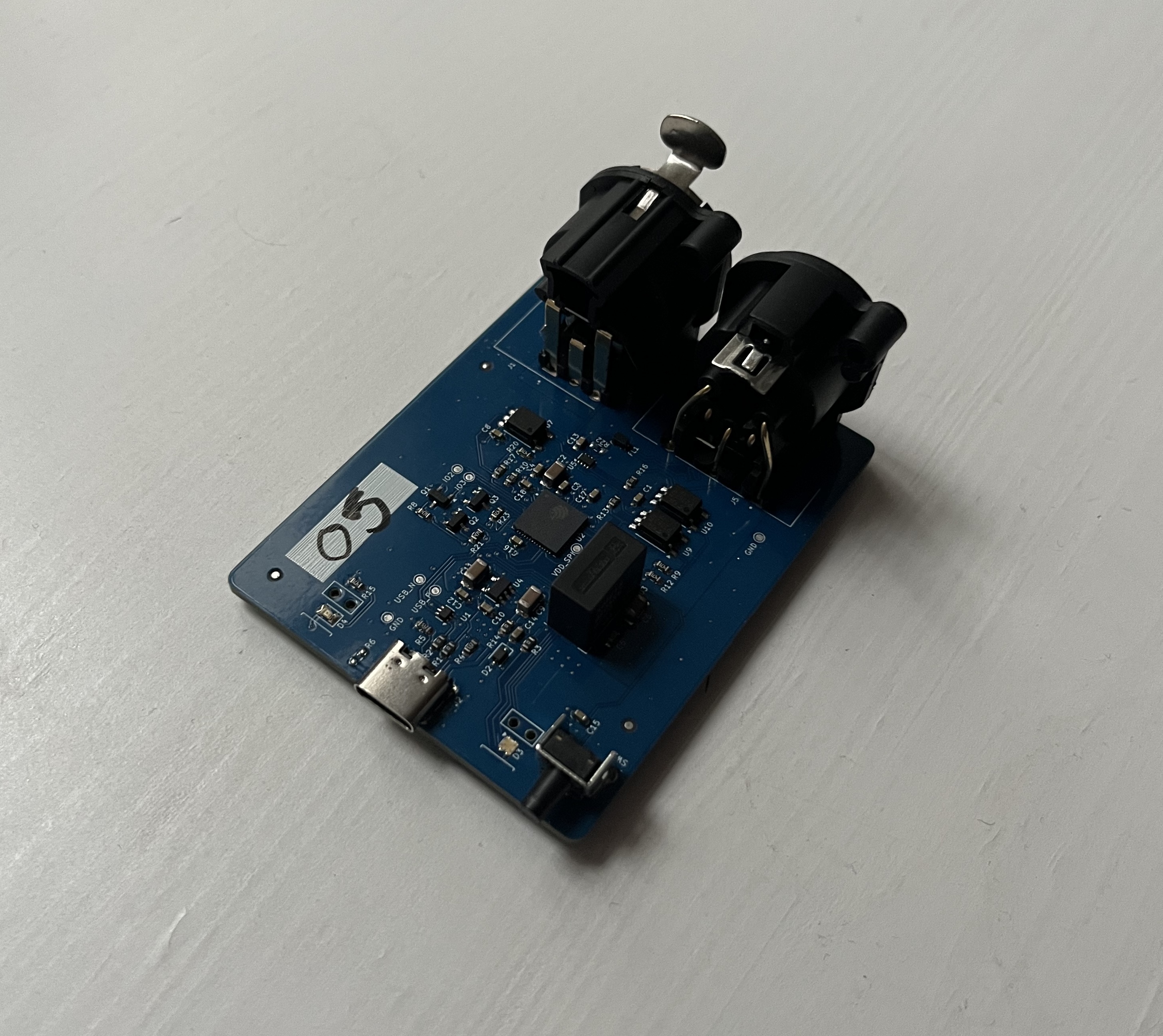
User indication and control was improved with the use of an RGB status LED instead of single color. The color and flash pattern of the LED will show what mode the controller is currently in, if there is active data being transmitted/received, and other status indication. There is also now an externally-accessible pushbutton with different behavior for short presses or long holds. The button is slightly recessed into the enclosure to prevent accidental triggering in rough environments.
Lastly, the enclosure type was updated from a simpler design based on extruded aluminium rails to a two-piece bent sheet metal enclosure. This is a much more rugged case for the device which is suitable for use in all indoor show environments.
Software & Firmware
The majority of the software and firmware improvements are “under the hood”, making the device operation much more robust and dependable.
The largest new feature is Compatability Mode. When enabled, the device supports interfacing with any PC programs that support control of ENTTEC USB-controllable DMX devices. This means that this device will work with the vast array of software that supports operation of these devices.
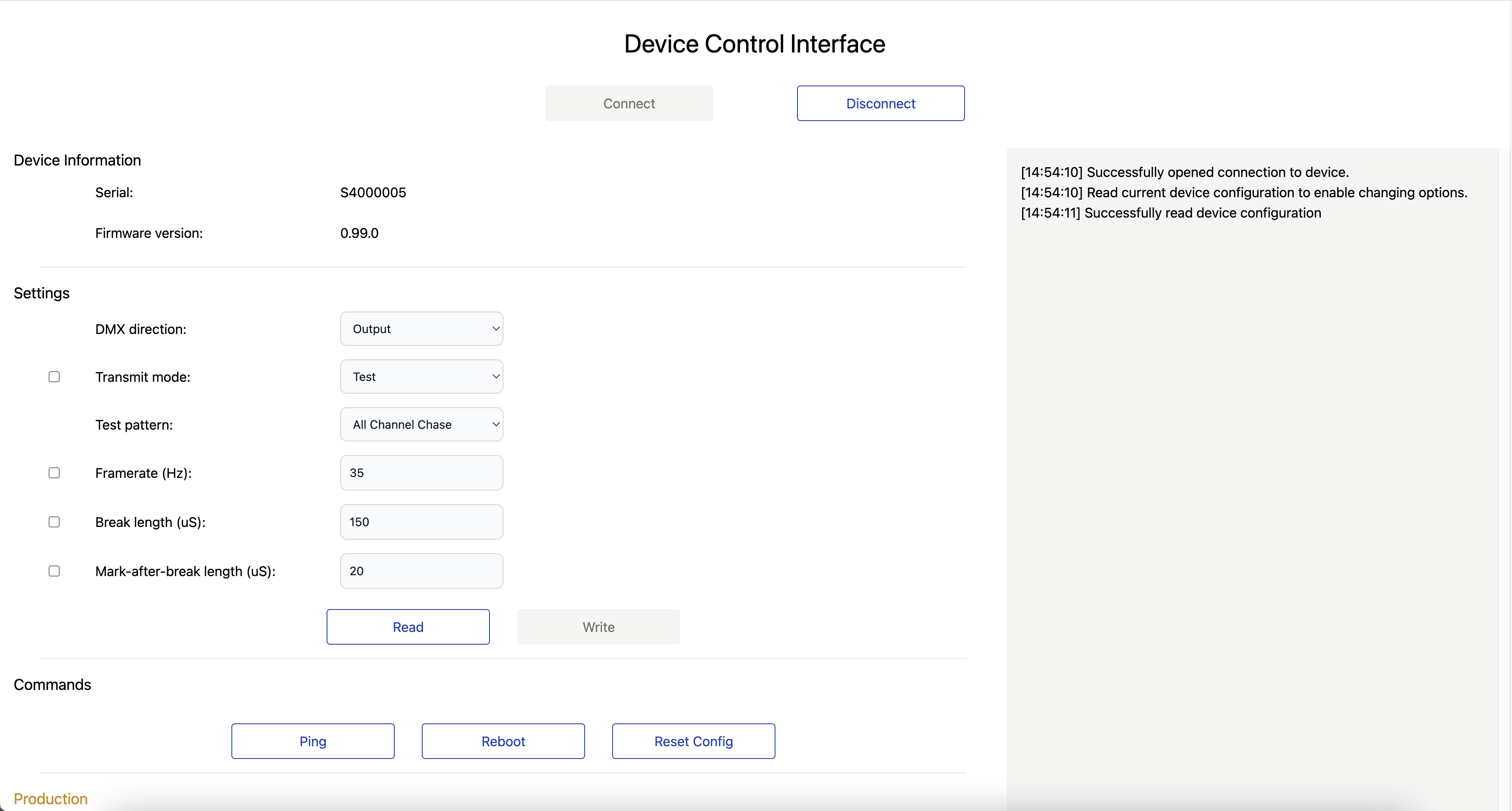
Configuration of the device can now be done with zero external software, just a web-browser1. Simply plug in the device and navigate to dmx.secondstringstudios.com (contact for an offline download of the source). All device settings and modes are available for immediate configuration and will persist through device reboots once saved.
-
Chrome, Opera, or another browser that supports WebSerial ↩︎